Few topics make Kenyan chemist owners sigh like KRA compliance. The rules have changed quickly, the terms are confusing and a mistake can cost you deductions, or worse. This practical guide to eTIMS for pharmacies explains what eTIMS is, why it matters for a chemist, the main ways to comply and what to look for in a system, without the jargon.
This article is general information, not tax advice. Rules change, so confirm your own position with KRA or a qualified tax adviser.
What is eTIMS?
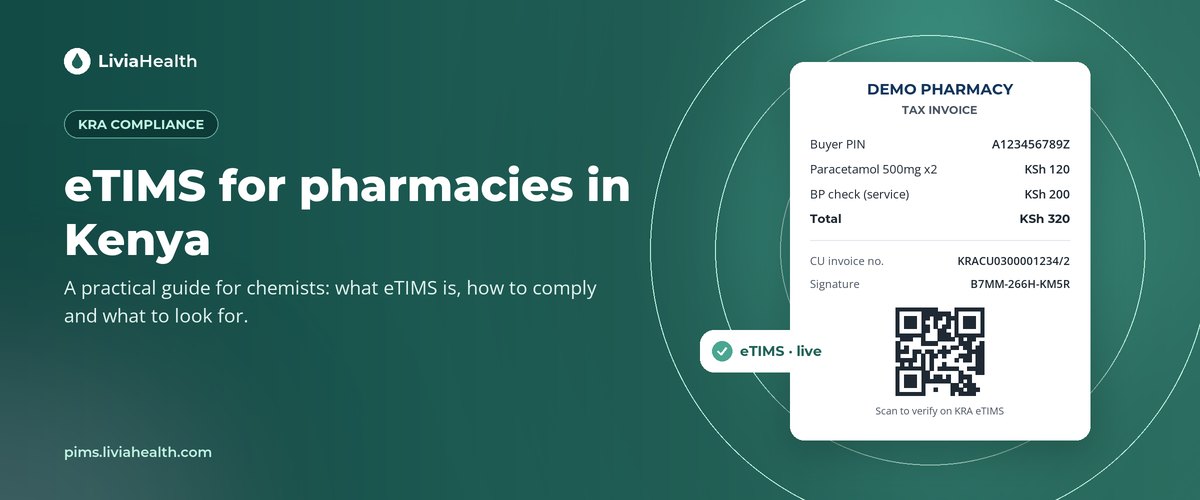
eTIMS stands for electronic Tax Invoice Management System. It is the Kenya Revenue Authority’s system for generating, sending and storing tax invoices electronically. Each valid invoice carries details KRA can verify, including a control unit (CU) invoice number and a QR code that anyone can scan to confirm the invoice is genuine. eTIMS replaced the older generation of tax registers and has become the standard way to invoice in Kenya.
Why eTIMS matters for a chemist
For pharmacies, eTIMS affects both sides of the counter.
When you sell. Corporate clients, clinics, insurers and other businesses that buy from you want eTIMS invoices so they can claim the expense. If you can’t provide one, you may lose that business to a chemist who can.
When you buy. Your own purchases from wholesalers and distributors need to be supported by valid eTIMS invoices for you to claim them as expenses. Keeping those invoices organised is now part of running the business.
When KRA asks. An audit or query is far easier when every receipt, credit note and invoice can be found and reprinted in minutes.
The main ways a pharmacy can comply
KRA offers several routes to eTIMS. Which one suits you depends mostly on how many sales you make and what system you already use.
- Manual or light options. KRA provides simpler tools for small businesses with low volumes, such as web and mobile options. They work, but each invoice is entered separately, which is slow for a busy pharmacy counter.
- A separate eTIMS client or device beside your till. Some pharmacies run their POS and a second system for tax invoices. It complies, but it means entering sales twice or reconciling two sets of records.
- System-to-system integration. Your pharmacy system talks directly to KRA through an approved integration. Every sale produces a valid eTIMS invoice automatically, with no double entry.
For most pharmacies with steady daily sales, integration is the route that saves the most time and causes the fewest errors.
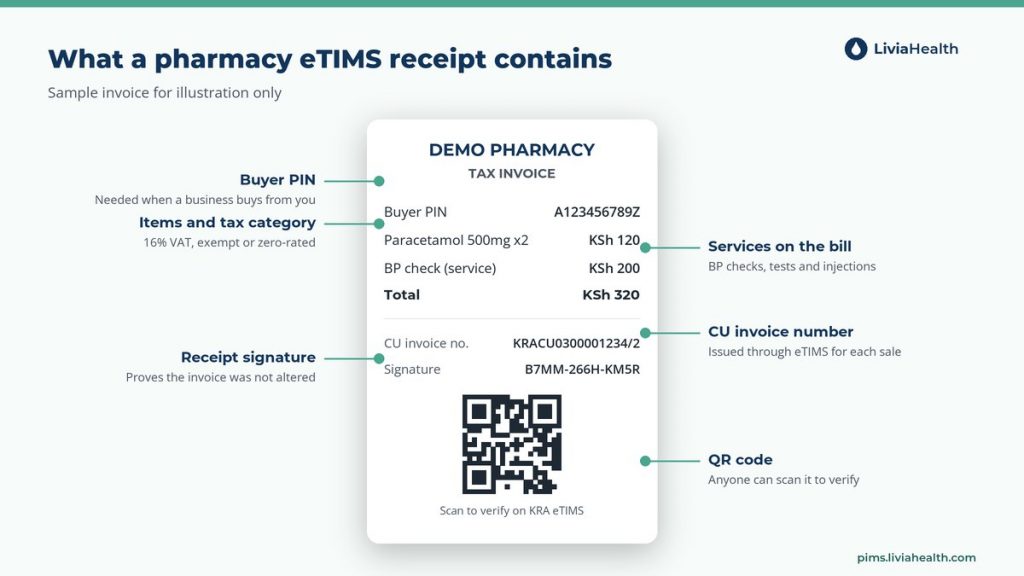
What a pharmacy eTIMS invoice includes
A compliant eTIMS receipt from a pharmacy typically shows:
- Your business name, PIN and contact details.
- The buyer’s PIN where the buyer is a business (it can be left as walk-in for ordinary customers).
- Each item with quantity, price and the correct tax category.
- Totals for taxable amounts and VAT.
- The CU invoice number, internal data and receipt signature.
- A QR code that links to KRA’s verification page.
The tricky parts for pharmacies
Mixed tax categories. A pharmacy sells a wide mix: prescription medicines, over-the-counter products, supplements, cosmetics and personal care. These don’t all carry the same VAT treatment. Some items are standard-rated at 16% while others may be exempt or zero-rated. Your system has to apply the right category to each product, every time. Agree the classification of your product list with your accountant and set it once in your system.
Returns and corrections. When a customer returns an item or a sale is corrected, you need a proper credit note that is linked to the original invoice. Deleting or voiding a sale in a till that isn’t connected to eTIMS creates a mismatch.
Insurance sales. When an insurer pays part of a bill, the invoice and the claim need to agree. Systems that handle claims and invoicing separately make this harder to keep straight.
Services. If you charge for BP checks, glucose tests or injections, those services should appear on the invoice too.
How Livia PIMS handles eTIMS
Livia PIMS is built to support KRA eTIMS workflows from the same system that makes the sale:
- Tax invoices, automatically. Each sale can generate a compliant tax invoice with a CU receipt number, internal data signature and verifiable QR code.
- Third-party integration ready. It is built to connect through KRA’s third-party integration, handling the signing keys and connection so you don’t have to.
- Credit notes in two clicks. Returns and corrections produce credit notes linked to the original invoice.
- PIN and VAT validation. Buyer PINs are checked in real time, and VAT-able, exempt and zero-rated items are handled according to how you set them up.
- An audit-ready archive. Every receipt, signature and CU number is stored and can be reprinted, so a KRA query takes minutes rather than days.
- Services included. Billed services such as BP checks become lines on the eTIMS invoice.
On current plans, eTIMS integration is a one-time add-on per branch, with the price depending on your plan. Check the Livia PIMS pricing page for the latest figures.
An eTIMS checklist for your pharmacy
- Make sure your KRA PIN and iTax details are up to date.
- Decide on your route: light tools for very low volume, or an integrated pharmacy system for steady daily sales.
- Agree tax categories for your products with your accountant.
- Test a sale, a business sale with a buyer PIN, a return and an insurance sale before going live.
- Ask suppliers for eTIMS invoices on every purchase and store them properly.
- Train every staff member who uses the till, including weekend and relief staff.
The bottom line
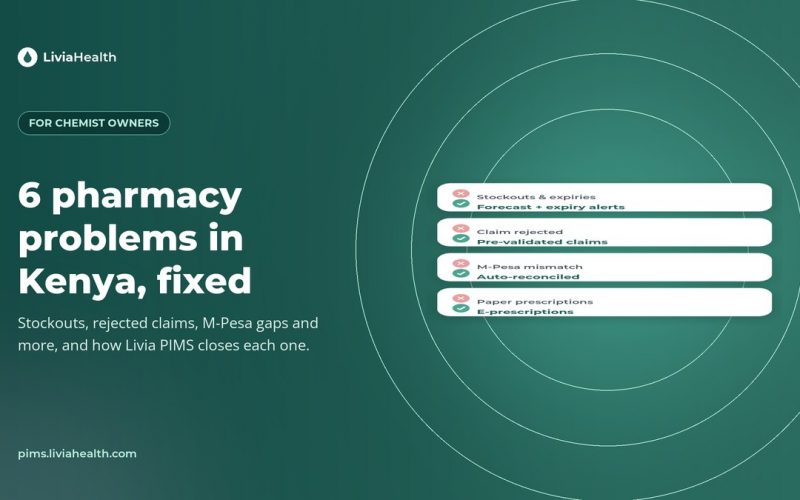
eTIMS is not going away, and for pharmacies the simplest way to live with it is to make it invisible: every sale, return and service produces the right invoice without anyone thinking about it. That is the case for doing eTIMS inside your pharmacy system rather than beside it. If you want to see how that works on a real counter, book a Livia PIMS demo. For the wider picture, read six pharmacy problems in Kenya and how to fix them.
Frequently asked questions